
How to Remove an Incomplete Draft from your Dashboard
Last updated: Aug 26, 2026
166
views

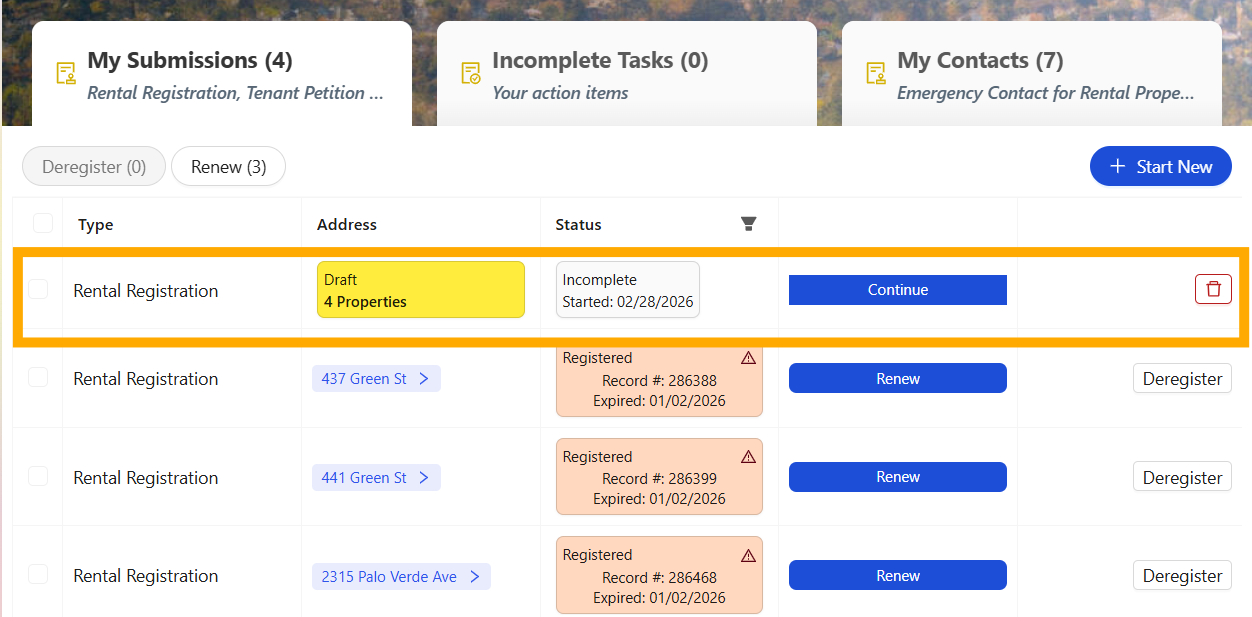
Step 1. Locate the Incomplete Draft Record to be removed from your Dashboard
- Locate the draft you intend to remove.
- Incomplete Drafts have their address tab highlighted in yellow.
Step 2. Remove Incomplete Draft Individually or more than One at a Time
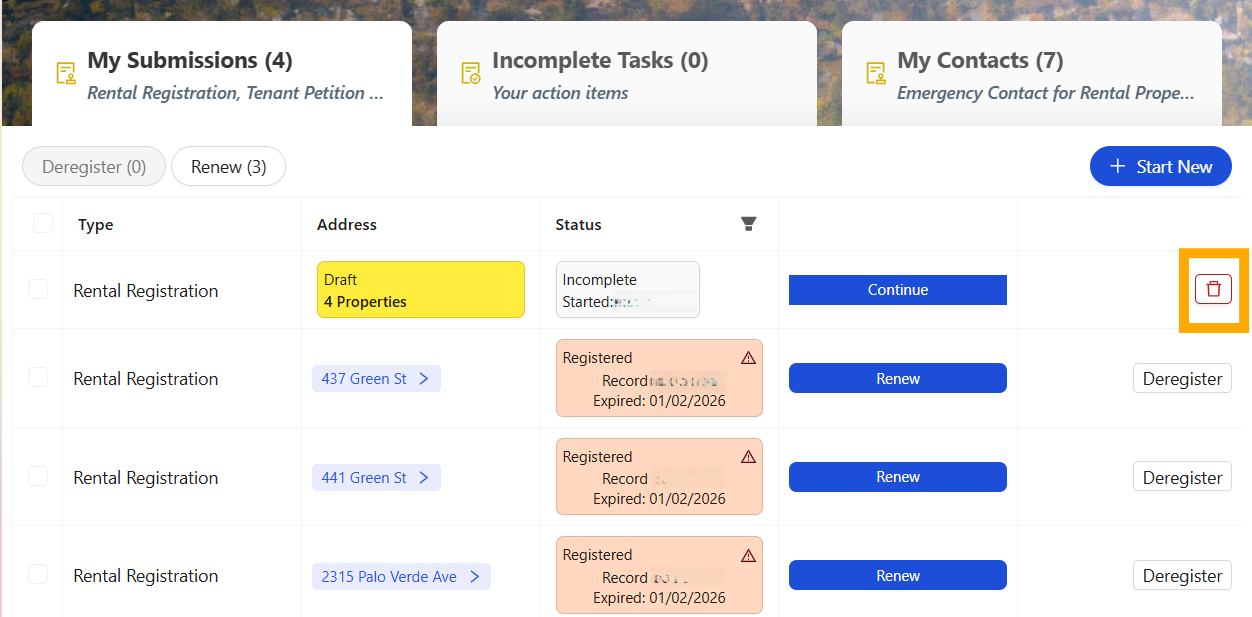
- Click the red trashcan to the far right of the draft record to remove an individual record.
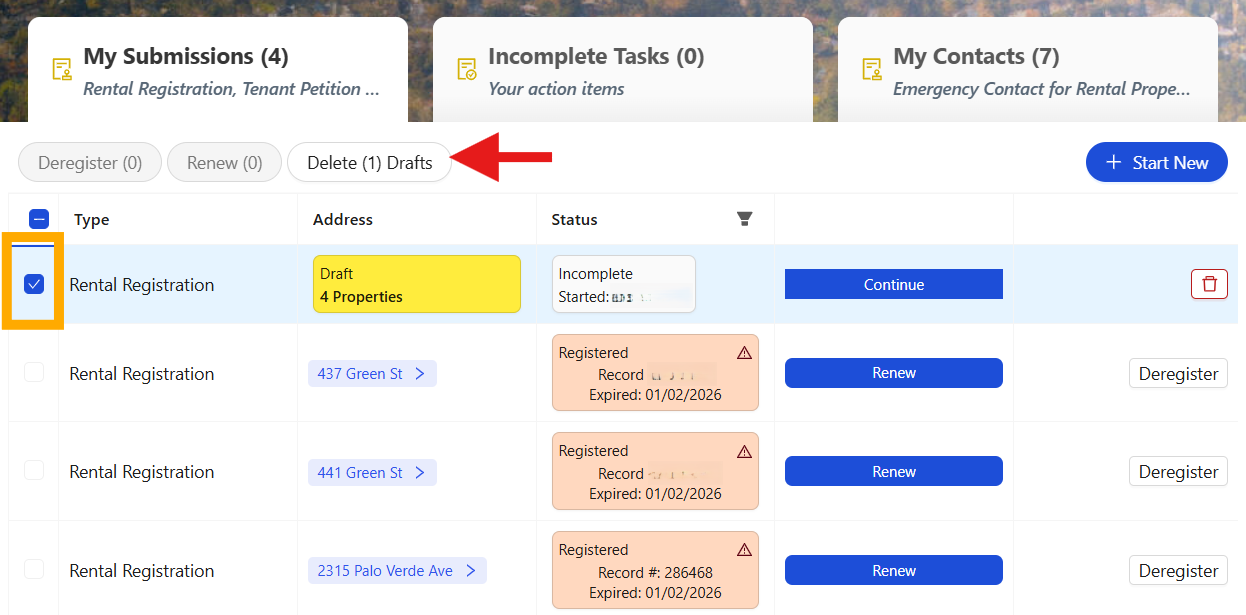
- If you have more than one draft to remove, click the checkboxes to the immediate left of the record. Then click the white "Delete (#)" button to remove the selected drafts.
Individual Draft Deletion
Bulk Draft Deletions