

How to Deregister a Property from within your Dashboard

May 07, 2026
3443

If you have sold your property, you’ll need to update your rental registrations by deregistering the address. This action acknowledges the sale in the Slate portal, informs your city or town, and prevents future reminder emails or notifications from being generated.
Step 1: Log into Slate account.
-
Navigate to your registry landing page.
-
Click the [Sign In] button located in the upper right-hand corner.

Step 2: Locate Property
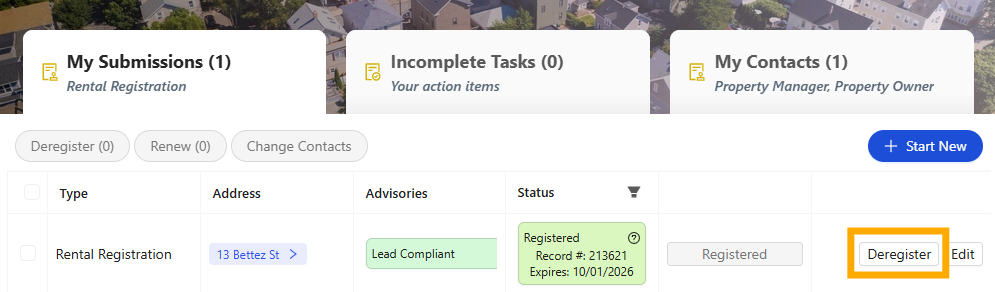
- Find the address of the property you want to deregister.
- Click the [Deregister] button to start the deregistration request
Step 3: Review and Deregister
- Review that the correct property has been selected.
- Provide additional notes confirming why the property is being deregistered.
- Select "Deregister" to submit your request

If you have any questions please contact the Tolemi Support Team at [email protected] for additional assistance.

