

How to Edit a Property Registration from your Dashboard

May 20, 2026
3470

Step 1: Log into Slate account.
-
Ensure you are logged in to your Slate account.

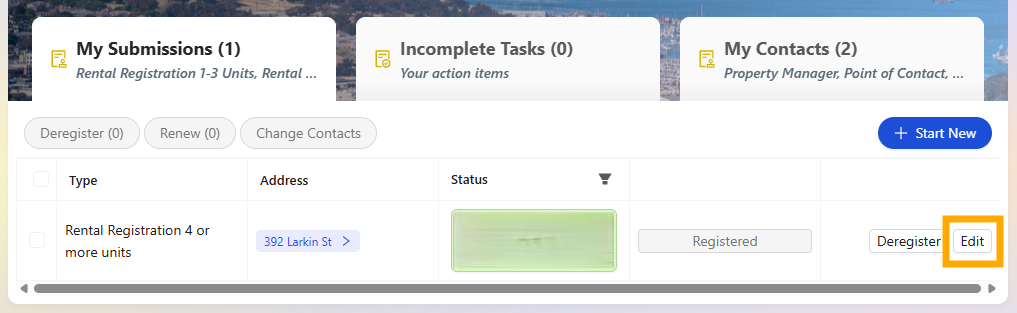
Step 2: Locate property to update
- Select the "Edit" to reopen the registration record.
Step 3. Review to ensure the correct property has been selected
- Select "Next" to move through the registry application to the Step you are looking to update.
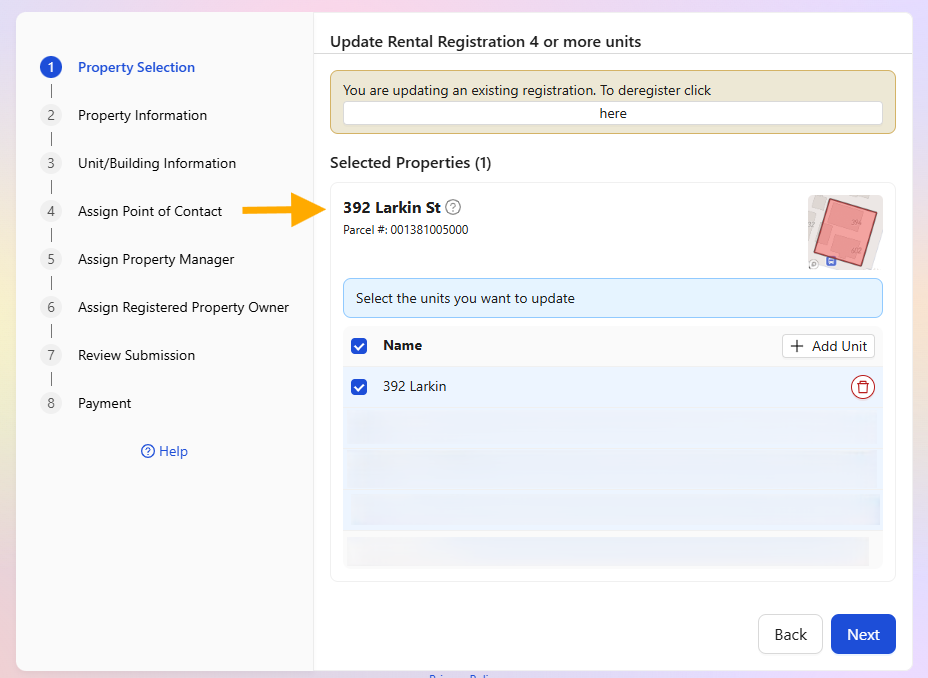
Step 4. Make your updates
- Continue to select "Next" to move through the registry until the Review Submission section of the registry.
- Review your submission before submitting and process any associated payment that may result from your changes.
If you have any questions please contact the Tolemi Support Team at [email protected] for additional assistance.

